NEW · 2.8.0 Reserve — your daily energy battery

Your Apple Health data,
actually explained.

Ask anything about your sleep, HRV, recovery, or body-composition goals. Metrya turns raw HealthKit numbers — plus today's weather and air quality — into clear, personal answers. Your AI, your key, your data.

Free to download No account needed Data stays on device
9:41
Good morning, Alex
Tuesday · Recovery ready
82Recovery
Today
Optimal

HRV up 12% vs baseline. Good day to train hard.

Bio Age
32.1 yrs
−4.9 vs actual
Deep Sleep
1h 18m
▲ 22 min
Why did I sleep so badly last night?
Recovery
82 · Optimal
HRV trend
+12%
Heads up today
Heat advisory
Reads Apple Health — no new sensors
Works with Claude, OpenAI & Gemini
Your API key — zero AI markup
One-time Pro · no subscription
New in 2.8.5 · Also on Apple Watch

A full-powered app on your wrist — not just a complication.

Metrya on Apple Watch is a body-state companion, not a shrunken dashboard: your phone keeps the history and the AI, your wrist owns now. Reserve, recovery, sleep, nutrition, caffeine, cold-plunge timing and a weather-aware Heads Up — all read on-device, the moment you raise your arm.

9:56
Recharge
Last night iPhone 9:41
6h 36m
asleep · 100%
Deep 37m
Core 4h2
REM 1h56
Awake 17m
Recharge · sleep stages
9:56
iPhone · 9:41
RECOVERY
85
Primed
BIO AGE
34.4
years
RINGS
M
36%
E
13%
S
50%
Today · recovery & rings
9:57
Heads Up
High grass pollen
AIR QUALITY
AQI 78 · Moderate
POLLEN
Grass · High
Heads Up · fetched on your wrist
9:57
Caffeine
ON BOARD
81
mg
LIVE ON WRIST
Caffeine · live on board

Nutrition, at a glance

Check kcal, protein, carbs and fat against your daily targets with live progress bars — straight from your wrist.

Cold plunge timer

Start and time a cold plunge from your wrist — it syncs to Apple Health when you next open the iPhone app. Sauna still starts from the phone.

Overnight vs 30-day

HRV, resting heart rate and wrist temperature — each compared against your own rolling baseline the moment you wake.

Complications & on-device

Pin live Reserve, Recovery or heart rate to your watch face. The Watch talks only to your phone — no health data ever leaves your devices.

How it works

Real questions. Answers grounded in your data.

Here's an actual AI Advisor exchange — and everything that goes into it.

Why did I sleep so badly last night?
Your deep sleep dropped to 38 min (usual: 68 min) and HRV sat 22% below your 30-day baseline. Two likely drivers: your last coffee was at 4:38pm — inside your caffeine cut-off window — and last night's heat advisory pushed your bedroom warmer than usual. Try moving your last coffee before 2pm and see if deep sleep recovers tonight.
😴 Sleep stages ❤️ HRV baseline ☕ Caffeine log 🌡️ Weather & heat advisory
1
Your Apple Health data
Sleep, HRV, heart rate, activity, and body composition — read straight from HealthKit, on-device.
2
+ personal & environment context
Supplements, equipment, caffeine, wellness logs, Body Vision goals, and today's weather & air quality.
3
Sent to your AI, with your key
Claude, GPT, or Gemini — using the API key you control. Metrya's servers never see it.
Features

Everything your health data
has been trying to tell you

The flagship tools up top. Then everything else, grouped by what your iPhone works out on its own and what genuinely needs your AI key.

New in 2.8.0 · Free
Reserve — your daily energy battery
A 0–100 number seeded from your overnight recovery, then drained and recharged hour by hour by what you actually do — see a demanding day coming before you're running on empty. See how it works ↓
Now
62
Spent
−24
Recharged
+6
New in 2.7.0 · Pro Powered by your key
Body Vision — your AI transformation coach
Add a goal photo and a current photo. AI maps the gap, builds a training/nutrition/recovery plan, and tracks your progress over time. See how it works ↓
Current
18.4%
Goal
12.5%
ETA
~14 wk
New in 2.6.7 · Pro No key needed
Heads Up Today — Weather & Air Quality
A dashboard card surfaces local weather and air quality that may affect your metrics today. Heat, poor air, or active warnings are automatically factored into every AI Advisor answer.
Air Quality
AQI 138
Alert
Heat advisory
Pro · Runs on your own AI key
AI Health Advisor that actually knows your numbers
Ask anything in plain English — "Why am I tired?" or "Is my HRV trending down?" — and get data-grounded answers, not generic tips. Then turn any AI reply into actionable goals with one tap.
Should I train hard today?
Yes — recovery is 82/100 and HRV is 12% above baseline. Your legs are the freshest they've been in 9 days. Green light for intensity.

Which features use your AI key?

Most of Metrya never calls an AI at all — the scores are computed on your iPhone. Only the features in the second tab send anything to a model, and those run on your key, billed to you by the provider at cost.

Live Health Dashboard Free
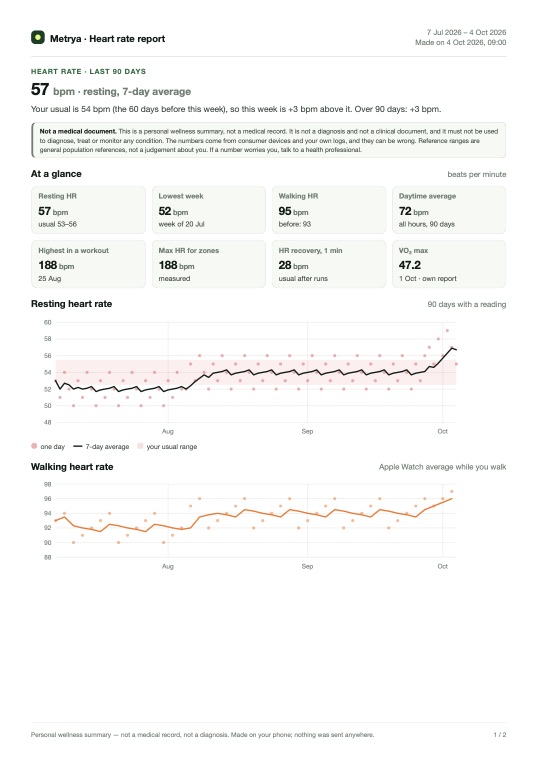
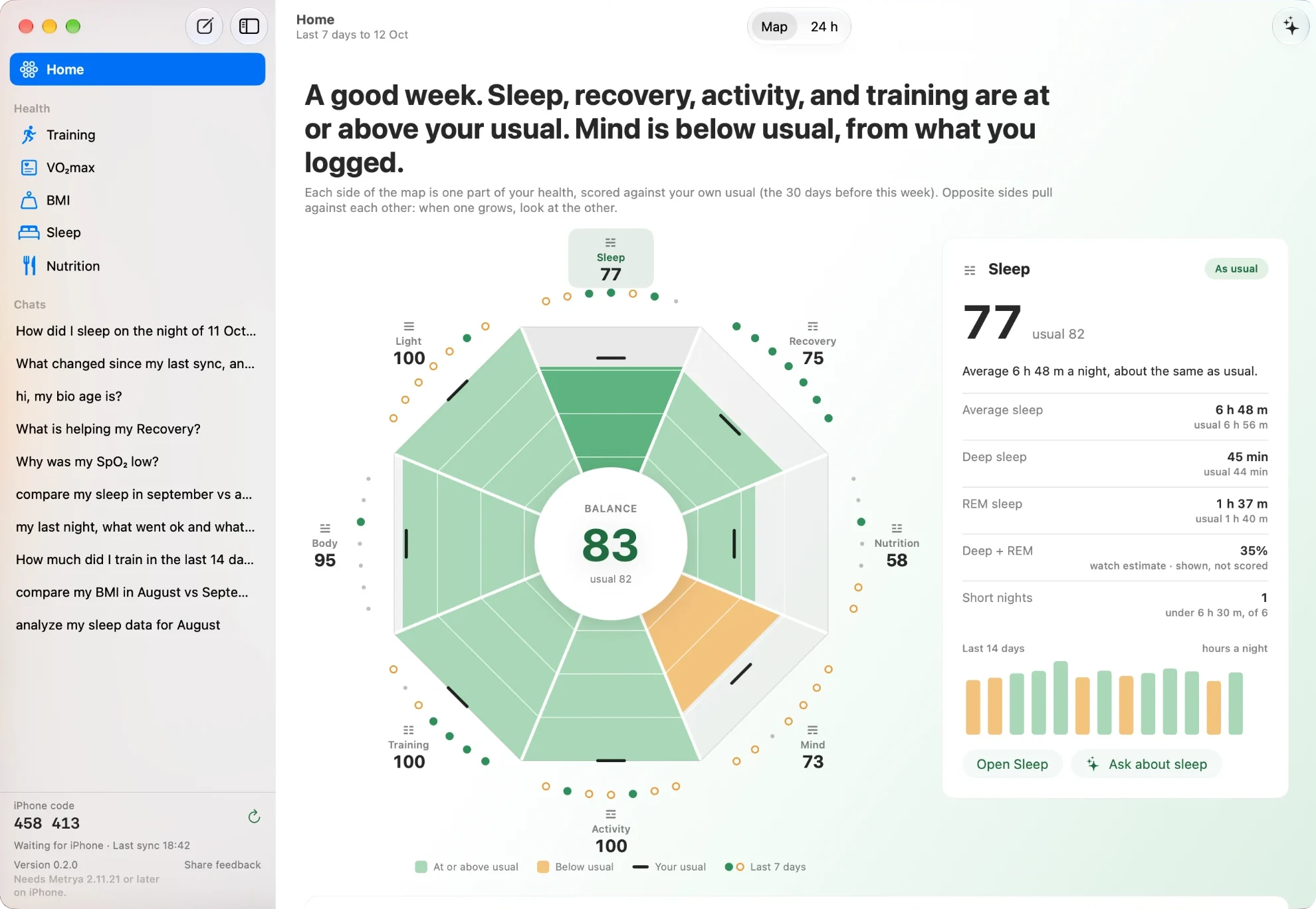
30 days of Apple Health at a glance — sleep, HRV, resting HR, activity, body composition.
Biological Age Score Free
Estimated bio age from cardio fitness, HRV, sleep, and metabolic markers — full factor breakdown.
Recovery Score Free
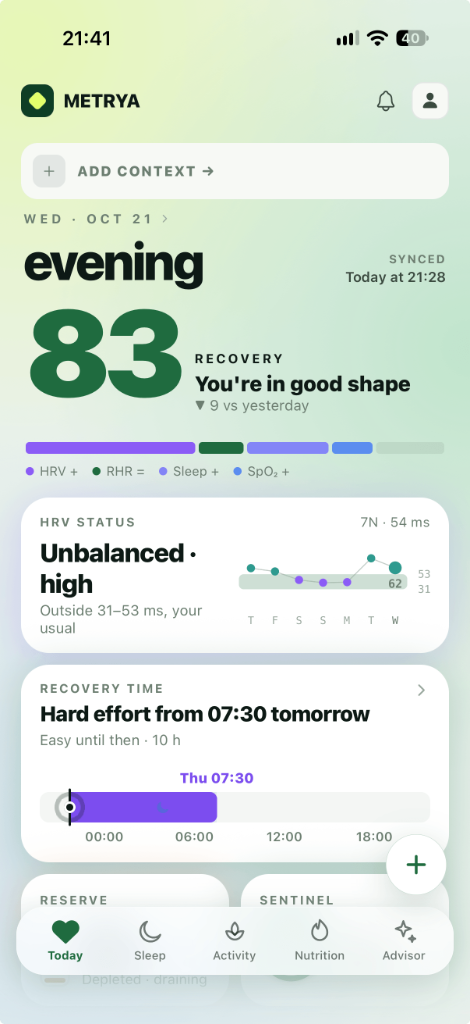
A daily 0–100 readiness number from HRV, resting HR, sleep, and trend — with every factor tappable.
Reserve Free
A daily energy battery — seeded overnight, then drained and recharged hour by hour as you move through your day. Learn more →
Anomaly Detection Free
Learns your baselines for HRV, RHR, SpO₂, sleep and more, then alerts you when something deviates.
Goals & Streaks Free
Set goals for steps, sleep, HRV, weight and more — with daily streaks and milestone badges.
Longevity Signals Pro No key
Autonomic Age, Fitness Age, and Sleep Longevity Risk — computed on-device from Apple Health. No AI key required.
Caffeine Tracker Pro No key
Tap a drink and see caffeine on board, the decay curve, and your bedtime gap update live — a half-life model that runs entirely on your phone.
Wellness Log Pro No key
Track sauna, cold plunges, meditation, mood, and stress — logging and timing sessions is entirely on-device, no key needed. Want the AI to explain what a session did to your recovery? That read uses your key.
Personal Context Pro No key
Log supplements, equipment, and dietary approach. Stored on-device — it's what the AI Advisor reads from when you do use a key.

One exception: if your iPhone supports Apple Intelligence you can pick it as your model and these features run on-device with no key and no cost — except photo meal analysis, which needs a Claude, OpenAI or Gemini key. Everything in the first tab never calls a model at all.

New in 2.8.0 · Free

Reserve: how much energy you actually have left, right now.

A single 0–100 number that starts each morning from your overnight recovery, then drains and recharges hour by hour as you move through your day — like the battery icon you already understand.

  • 1Seeded from your recovery — HRV, resting heart rate, sleep, and a small adjustment for yesterday's training set the morning starting point.
  • 2Drains on real exertion — workouts and sustained elevated heart rate cost points; ordinary daily movement stays close to free.
  • 3Recharges on genuine rest — a calm heart rate and stillness top it back up gently, with a bonus once a rest block runs long enough.
  • 4An honest timeline — every point moved is labelled by what actually caused it, down to a "background activity" line so the numbers always add up. How it works →
RESERVE
62/100
Moderatedraining
Spent−24
Recharged+6
Day low58
New in 2.7.0 · Pro

Body Vision: see the gap between today and your goal — then close it.

Add a goal photo (or describe it, or pick a silhouette preset) and a current photo. Metrya reads both against your scale, sleep, and training data to map exactly what stands between you and the physique you're working for.

  • 1AI baseline & realistic timeline — where you stand today, and how long the gap realistically takes to close.
  • 2A personalised 3-pillar plan covering training, nutrition, and recovery — built around your actual equipment and habits.
  • 3Weekly progress tracking — add check-in photos and watch body fat, weight, and goal completion trend over time.
  • 4Becomes permanent AI context — every AI Advisor answer after that coaches toward your goal.
BODY VISION
CURRENT
18.4%
body fat
GOAL
12.5%
body fat
Realistic ETA: ~14 weeks at current pace
🏋️Training
🥗Nutrition
🌙Recovery
Week 4 of 1432% to goal
34.8Auto age
32.1Fitness age
87Sleep score
82%
LONGEVITY HEALTH
HRV
Autonomic
34.8 yrs
Optimal
VO₂
Fitness
32.1 yrs
Optimal
SLP
Sleep
87/100
Low Risk
Pro Feature

Three longevity signals, built from data you already collect.

Metrya Pro surfaces science-backed aging signals inside the Bio Age screen. No extra sensors, no AI call, no server round-trip — just on-device math over your Apple Health history.

  • 1Autonomic Age maps your 7-day HRV average against age and sex norms, then compares it to your own baseline.
  • 2Fitness Age uses VO₂max when Apple Health has it, or estimates it from resting HR, steps, height, weight, and age.
  • 3Sleep Longevity Risk scores duration and efficiency against ranges linked with long-term health outcomes.
Get started

Up and running in minutes

No account, no subscription, no data upload.

1
Download & grant access
Install Metrya, approve Apple Health read permissions. Your data never leaves your device.
2
Unlock Pro & connect your AI
Unlock Pro once ($12.99), create a free account with Claude, OpenAI, or Gemini, and paste your key. ~3 minutes, no technical knowledge needed.
Step-by-step guide
3
Start asking
Open the AI Advisor and ask anything about your health. The AI reads your last 30 days of data to answer.
How AI billing works

No subscriptions. No margins.
You pay the AI directly — or not at all.

Most health AI apps charge $10–30 a month, quietly pocketing the difference. Metrya skips the middleman — you connect your own account in minutes, no technical background needed.

1
Create a free AI account
Sign up at Anthropic, OpenAI, or Google — the companies behind Claude, ChatGPT, and Gemini. Free in under 2 minutes.
2
Get your personal access key
Generate an API key — think of it as a password that lets Metrya talk to the AI on your behalf. Copy and paste it once.
3
Add $5 of credit, done
Top up a small amount directly with the provider. No subscription — you're charged only for what you ask, at pennies each.
Full step-by-step setup guide
Traditional health AI apps
Pay monthly for AI you don't control
  • $10–30/month, billed whether you open the app or not
  • Your data routed through the app provider's servers
  • Heavy markup — actual AI cost is fractions of a cent
  • Lose everything the moment you stop paying
Metrya
Bring Your Own Key — zero markup, full control
  • Core features free forever — dashboard, scores, anomaly detection, goals
  • Your key connects directly to Anthropic / OpenAI / Google
  • Zero markup — you see every cent, you stay in control
  • Pro ($12.99 once, lifetime) unlocks AI Advisor + personal context
A $5 top-up typically lasts months of daily useEach conversation costs a fraction of a cent. Most users top up once and forget about it — genuinely paying for what you use, nothing more. No surprise charges, no monthly billing.
Pricing

Free to start.
One-time unlock for more.

No subscriptions, no recurring billing. Pay once for Pro, own it forever.

Free
$0
Forever free
  • Apple Health dashboard
  • Biological age score
  • Anomaly detection & alerts
  • Daily Recovery Score (0–100)
  • Goals & streak tracking
Download Free
Comparison

You already own the sensors.
Stop renting the insights.

Whoop, Bevel, Athlytic, Sonar and Livity all read the same handful of signals your Apple Watch already records — and most of them bill you every year for it, on their servers, with their AI.

Whoop
$199+
per year
+ their band on your wrist
Bevel
$99.99
per year
data in their cloud
Athlytic
$24.99
per year
recovery scores only
Metrya Pro
$12.99
once — then never again
data never leaves your phone

Competitor pricing checked against public pricing pages and App Store listings in July 2026 and may since have changed. All trademarks belong to their respective owners, who are not affiliated with Metrya.

FAQ

Common questions

Everything you need to know before downloading.

Does Metrya store my health data?
No. All your Apple Health data stays on your device. When you ask a question, only the relevant data window is sent directly from your phone to your chosen AI provider using your own API key. Metrya has no servers and does not receive, store, or transmit your health data.
Which features need my own API key?
Five of them: the AI Advisor, Body Vision, the AI Nutrition Log, Recurring Insights, and Commitments & goal coaching. Those are the only places Metrya sends anything to a model, and they use a key you supply from Anthropic Claude, OpenAI, or Google Gemini — billed to you directly by that provider at their standard rates, with no markup from us.

Everything else is computed on your iPhone and needs no key at all: the dashboard, Recovery Score, Reserve, biological age, Longevity Signals, anomaly detection, goals and streaks, the caffeine tracker, personal context, and logging your Wellness Log sessions (sauna, cold plunge, meditation, mood, stress). The one exception inside the Wellness Log is asking the AI Advisor to explain what a session did to your recovery — that read uses your key, same as any other Advisor question. If your iPhone supports Apple Intelligence you can select it as your model and even the AI features run on-device for free — the one exception to that is photo meal analysis, which needs a real Claude, OpenAI or Gemini key. Step-by-step guide for all three providers →
What Apple Health data does it use?
Sleep (stages, duration), heart rate, HRV, resting heart rate, heart rate recovery, respiratory rate, SpO₂, steps, walking speed, body weight, BMI, body fat, lean body mass, and dietary data. It supports Apple Watch, Oura, Garmin, Withings, and any HealthKit-connected device.
Is Pro a subscription?
No. Pro is a single non-consumable in-app purchase — you pay once and own it permanently. No recurring billing, no monthly fees.
What is Reserve?
A free feature refined in 2.8.0. Reserve is a 0–100 "energy battery" seeded each morning from your overnight recovery (HRV, resting heart rate, sleep, and a small adjustment for yesterday's training), then drained and recharged hour by hour by your actual activity and heart rate through the day. It never drains all the way to zero, and every point moved is labelled honestly on the detail screen — no invented causes. Read the full explainer →
Is there an Apple Watch app?
Yes — added in 2.8.5. It's a body-state companion rather than a shrunken dashboard: your iPhone keeps the history and the AI Advisor, the Watch owns "now". You get a live Reserve gauge that keeps draining and refilling from the Watch's own samples between phone syncs, a Recharge screen with last night's sleep and overnight HRV/resting heart rate/wrist temperature versus your 30-day baseline, nutrition targets, live caffeine on board, a cold-plunge timer, Heads Up air quality and pollen, and watch-face complications for Reserve, Recovery and heart rate. The Watch talks only to your phone — plus one weather endpoint with coarse location for Heads Up — so no health data leaves your devices. See the screens →
What is Body Vision?
A Pro feature added in 2.7.0. Add a goal photo (or describe it, or pick a silhouette preset) and a current photo, and AI reads both against your scale, sleep, and training data to produce a body-composition baseline, a realistic timeline, and a personalised training/nutrition/recovery plan. Weekly check-in photos track your progress, and your goal becomes permanent context for the AI Advisor.
What are Longevity Signals?
Three Pro metrics: Autonomic Age from HRV versus age/sex norms, Fitness Age from measured or estimated VO₂max, and Sleep Longevity Risk from sleep duration and efficiency. They run on-device from Apple Health data and do not require an AI key.
Is the AI giving me medical advice?
No. Metrya is a data analysis and wellness tool, not a medical device. It helps you understand patterns in your own data. Always consult a qualified healthcare professional for medical decisions.
Guides

Learn how to read your health data

Practical explainers on Apple Health, HRV, recovery, and privacy-first AI — written for people who want clearer signals, not more noise.

What's next

Coming to Metrya

Here's what we're building next. If you bought Pro, all of it is included — no extra charge, ever.

Coming soon

Trends & correlations

Surface which habits move your HRV, sleep, and recovery — automatically, over months of data.

Coming soon

Weekly AI check-in

A short, personalised weekly summary of what changed and one thing to focus on next.

Exploring

iPad & wider layouts

A roomier dashboard for reviewing your full history on a bigger screen.

Your health data is already there.
Start understanding it.

Download Metrya free, connect Apple Health, and get answers grounded in your own numbers — today.

Download on App Store