1
Pair
Open the Mac app. It shows a six-digit code. On the iPhone, go to Settings → Mac, pick your Mac and type the code.
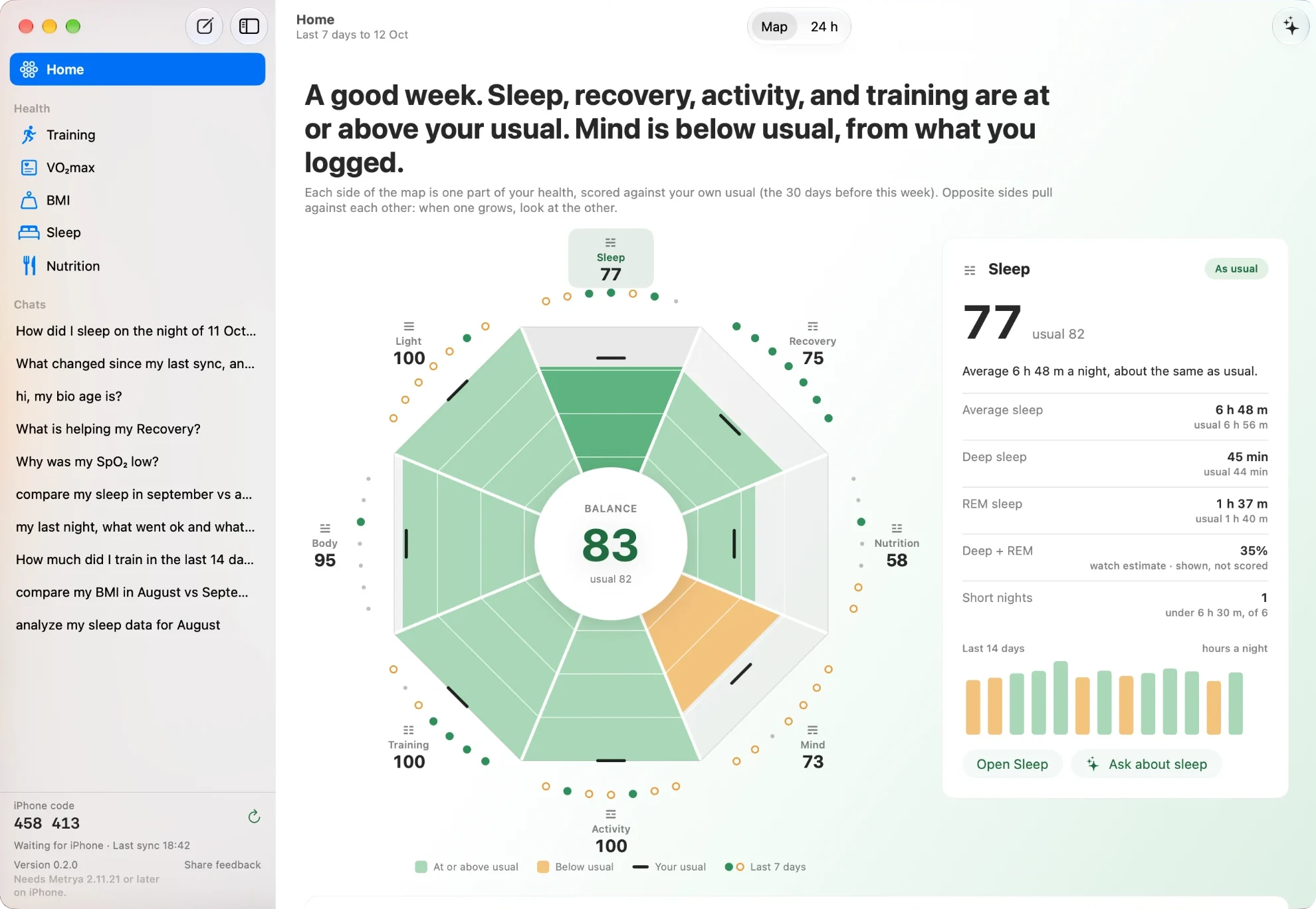
See your week on one map. Test your own ideas in Lab. Let Routines check in every week, and hear from them only when something changed. Ask with Apple Intelligence, a local model or your own key.
Version 0.2.7 · experimental beta · macOS 26 or later · for Metrya 2.11.21 on iPhone · 2.11.20 uses Mac 0.1.0 · free download · sending data needs Pro
The iPhone collects. The Mac has your whole year, a bigger model and time. So it can do two things a phone glance can't.
Does magnesium help your deep sleep? Do late runs change your HRV? Pick one change and one number. Lab compares the days with it and the days without it.
See how Lab works →Save a question once, such as “What changed in my sleep this week?”. Every Monday the Mac answers it with the same data. If nothing changed, it stays quiet.
See Routines →You already log your Stack, tags and workouts on your iPhone. Lab turns them into a fair test, with nothing new to log.
A routine is a saved question with the data it looks at and when it runs. The Mac works out every number. Your model only picks the words, and every number in its text is checked.
Your bedtimes moved around less this week.
The iPhone reads Apple Health. The Mac is where you look and ask.
Open the Mac app. It shows a six-digit code. On the iPhone, go to Settings → Mac, pick your Mac and type the code.
Tap Send everything the first time. After that, Keep in sync or Send changes keeps the Mac up to date. Both devices must be on the same Wi-Fi.
Start from the Home map, open Lab or Routines, or pick a model and ask. The Mac answers from its own copy, so your iPhone can stay in your pocket. Make a page turns an answer into charts.
Built into macOS 26. No download and no key. Turn it on in System Settings.
Any model you run in Ollama, like Gemma 12B or Qwen 3.8. Metrya finds them for you.
Paste a key. It stays in the Mac Keychain, and you pay the provider directly. How to get a key
It travels over your Wi-Fi, encrypted with the pairing code. There is no Metrya server in between. Anything you turned off for the AI on the iPhone stays off on the Mac.
The latest Mac app is 0.2.7. Mac 0.2.6, 0.2.5 and 0.2.0 are listed below. If your iPhone is still on 2.11.20, use 0.1.0.
| iPhone app | Mac app | Download |
|---|---|---|
| 2.11.21 | 0.2.7 Latest | Metrya.dmg |
| 2.11.21 | 0.2.6 | Metrya.0.2.6.dmg |
| 2.11.21 | 0.2.5 | Metrya.0.2.5.dmg |
| 2.11.21 | 0.2.0 | Metrya.0.2.0.dmg |
| 2.11.20 | 0.1.0 | Metrya.0.1.0.dmg |
Yes. The Mac app is included with Metrya Pro on your iPhone. It is not a second subscription. On the free plan, Settings → Mac is locked.
From your iPhone to your Mac over your Wi-Fi, encrypted with the pairing code. There is no Metrya server in between. Apple Intelligence and local models answer on the Mac. If you pick a cloud model, the question goes to that provider on your own key, and the Mac shows you the text before the first send.
No. Both show patterns in your own logged days, not proof. They never say one thing caused another, and a routine never tells you to start, stop or change a dose. Every number comes from the Mac, and you can open how it was worked out.
Any model Ollama runs on your Mac, for example Gemma 12B, Gemma 31B or Qwen 3.8. Install Ollama, pull a model and leave it running.
No. Download Metrya.dmg and drag Metrya into Applications. The iPhone app and Pro stay on the App Store.
Metrya 2.11.21 uses Mac 0.2.7, the latest: Metrya.dmg. Mac 0.2.6: Metrya.0.2.6.dmg. Mac 0.2.5: Metrya.0.2.5.dmg. Mac 0.2.0: Metrya.0.2.0.dmg. Metrya 2.11.20 uses Mac 0.1.0: Metrya.0.1.0.dmg.
Version 0.2.7 brings Routines, next to Lab. Still an experimental beta, so expect rough edges. Free to download. Included with Metrya Pro on your iPhone.
Download Metrya.dmgNo Pro yet? Get Metrya on the App Store first.